 Next.js
 TypeScript
 Node.js
 Express.js
 PostgreSQL
 Redis
Redis GeoLite2
 Vercel
 Source Code
Proxy & Routing
Docker NAT isolation with Nginx reverse proxy header scrubbing.
When running network audits inside virtualized containers, Docker's default Network Address Translation (NAT) bridge masks the client's actual incoming IP. Without a dedicated routing proxy, the web server only detects the internal Docker gateway IP (e.g. 172.18.0.1), leaving client geolocation audits completely broken.
To solve this, EXPOSUR routes all inbound connections through an Nginx proxy layer at the edge. The Nginx server strips arbitrary headers injected by CDN routing layers, extracts the client's socket connection IP, and propagates verified X-Real-IP and X-Forwarded-For tags.
This setup ensures the downstream Node.js app receives clean network metadata. Geolocation database mapping resolves client IPs locally within milliseconds against maxmind databases mounted into the container volume, avoiding third-party APIs.
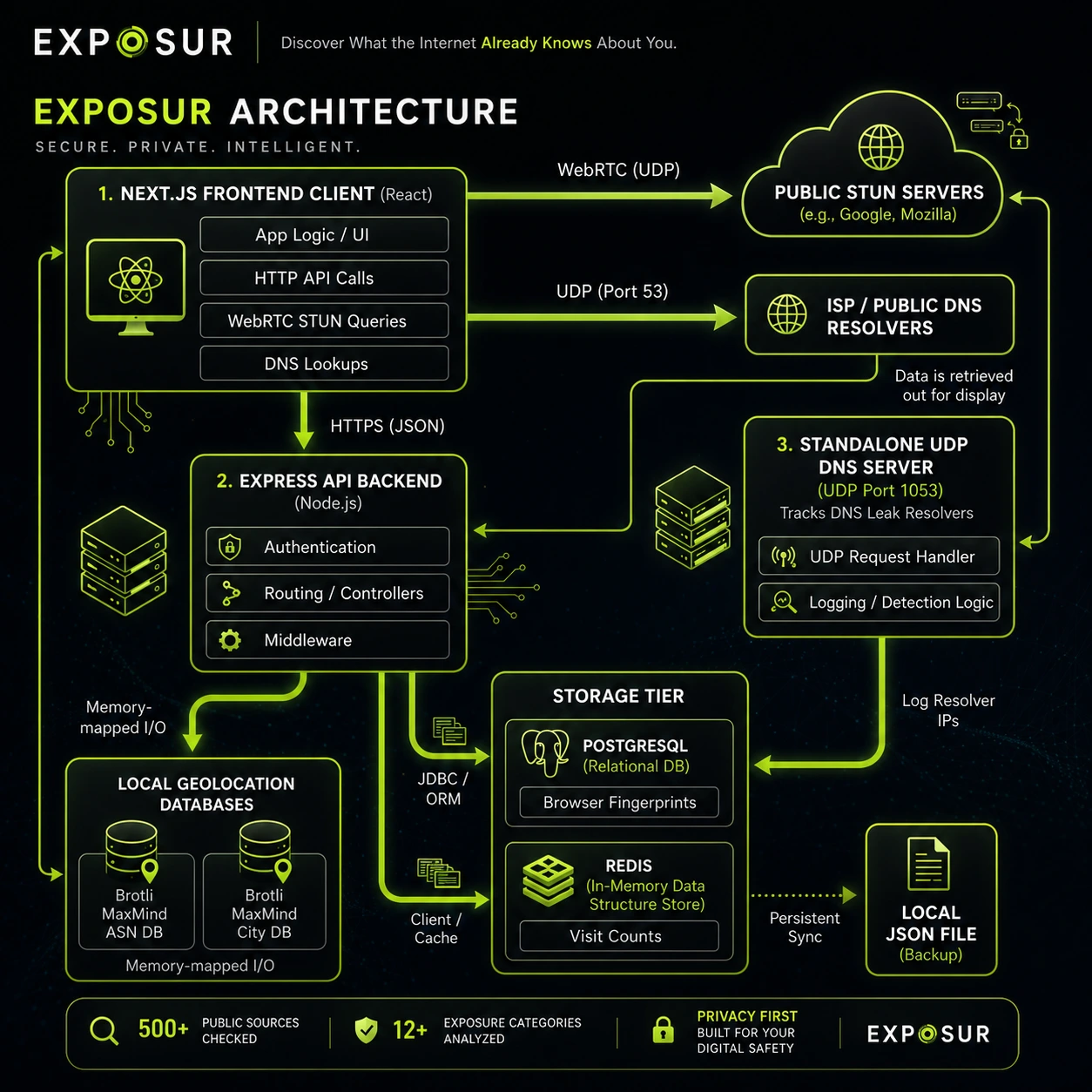
Telemetry routing pipeline: Client requests traverse Nginx edge proxy translation, forwarding verified header parameters to the containerized Express collector.
DNS Leak Engine
Intercepting resolver routing anomalies via unique subdomain challenges.
A DNS leak occurs when a VPN fails to route client queries through its encrypted tunnel, routing them instead to default ISP nameservers. Because standard web requests don't show the user's active DNS resolvers, catching these leaks requires an active verification pipeline.
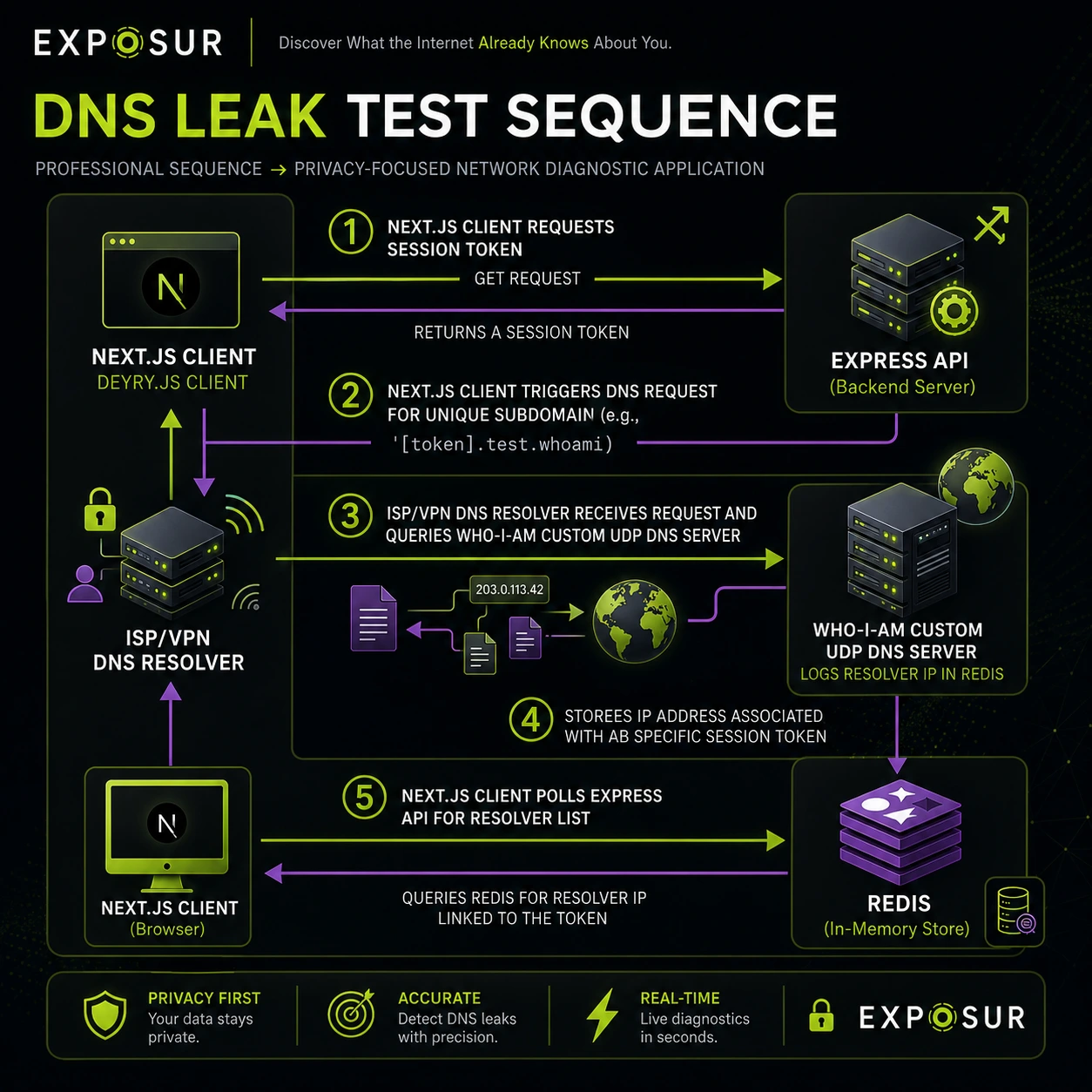
DNS Verification Loop: The browser fetches resource blocks from randomly-generated subdomains, forcing client resolvers to trigger lookup queries on our authoritative nameserver.
When a leak audit starts, the browser receives 10 dynamically generated unique subdomains (e.g. check-8f2c.exposur.net). The client browser fetches resource assets from these subdomains.
Since these subdomains are unique, the client's current DNS nameservers must ask our authoritative nameserver for resolution details. The nameserver captures the resolver IP addresses and matches them against the client's public IP address. Any mismatches indicate leaked DNS resolvers.
Identifies nameservers resolving client subdomains that do not match the client's detected public IP.
Client Fingerprinting
Measuring browser entropy and Webgl canvas signatures.
Modern trackers do not require cookies to recognize you. Instead, they compile browser characteristics to construct a high-entropy fingerprint. The EXPOSUR engine audits these client indicators to show users exactly what they reveal.
The application scans multiple client parameters, including window sizes, hardware concurrency, language configurations, and rendering engines (WebGl GPU drivers). These details are converted into entropy scores representing fingerprint uniqueness.
EXPOSUR also parses TCP parameters (like packet Window Size and TTL) to detect operating system details. This double verification catches mismatches, showing if a client's user-agent string has been spoofed.
Calculates fingerprint uniqueness based on parameter frequency across public data pools.
Product Walkthrough
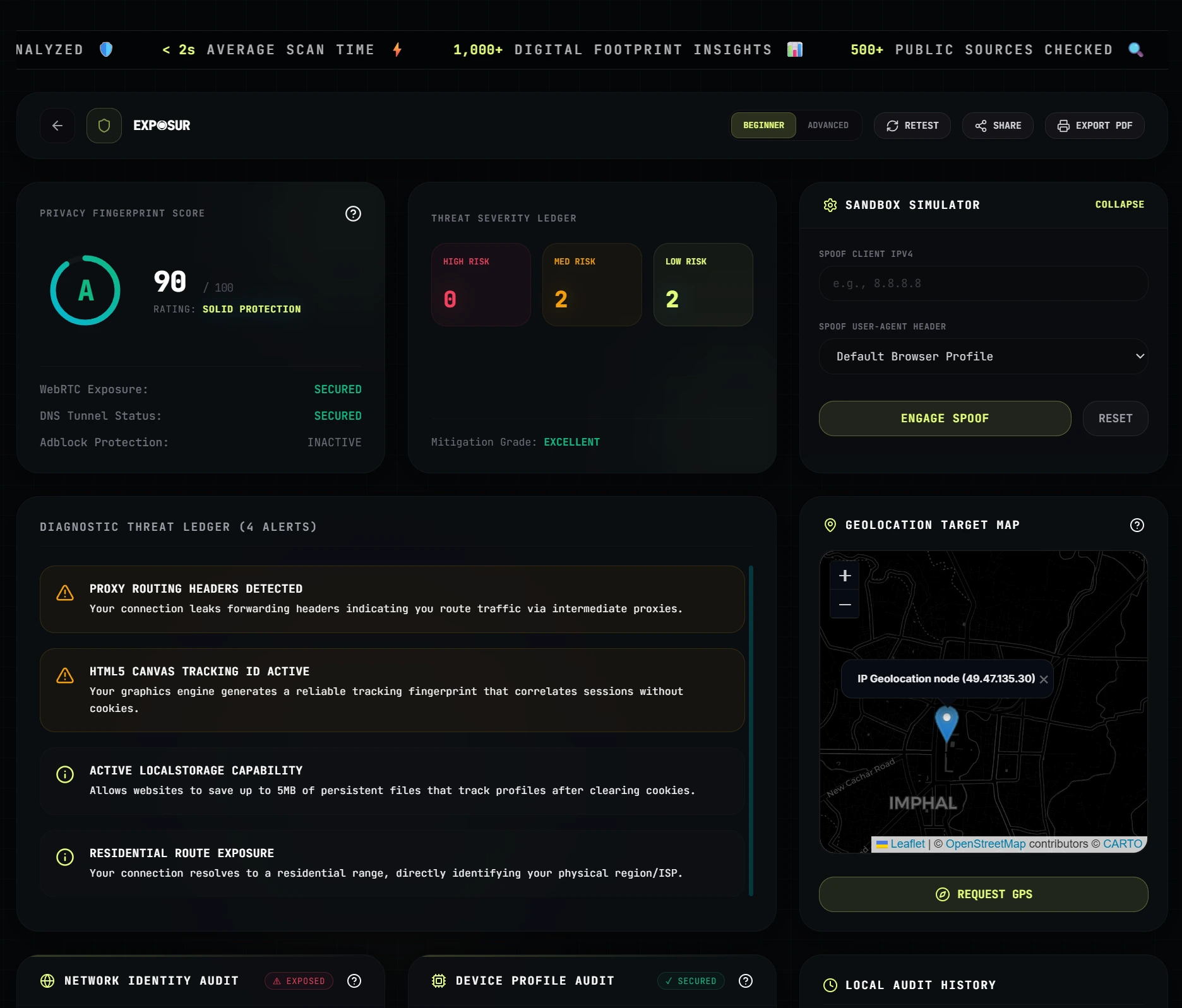
Environment Telemetry Dashboard
Aggregated, real-time client diagnostics detailing user IP geolocation, browser headers, OS architecture, and device parameters in a unified interface.