 React
React Vite
Vite Tailwind CSS
 Monaco Editor
 Socket.io
 Node.js
 Express
 MongoDB
 Redis
Redis Gemini API
 Source Code
The Core Problem
Modern software development rarely happens in isolation.
Developers constantly switch between code editors, messaging platforms, version control, and AI assistants, breaking focus and slowing collaboration. While collaborative editors solve real-time synchronization, they often treat communication, code editing, and AI assistance as separate workflows.
The challenge was to design a browser-based workspace where multiple developers could edit code simultaneously, communicate in real time, and interact with an AI assistant—all within a single, synchronized environment.
"Context switching is the silent killer of engineering velocity. Moving between code, chat, and AI breaks developer flow and fractures collaboration."
Developers frequently switch between IDEs, chat applications, and AI tools, creating unnecessary context switching during collaborative development.
Keeping multiple users synchronized while maintaining a consistent project state requires an event-driven communication model capable of handling concurrent updates.
Most AI coding assistants operate outside the collaborative environment. Developers must leave their workflow to generate code, debug, or seek explanations.
Why I Built This
Exploring real-time communication
at scale.
I wanted to understand how collaborative development platforms manage real-time communication at scale. Rather than building another online code editor, I focused on the systems that enable collaborative software engineering—WebSocket communication, shared state synchronization, persistent storage, and AI-assisted development.
The goal was to explore how an event-driven architecture could combine collaborative editing, project management, and contextual AI assistance into a unified browser-based workspace.
The Solution
CodeWeave adopts a decoupled client-server architecture where each subsystem is responsible for a single concern. This separation allows the platform to remain modular, scalable, and responsive while supporting simultaneous collaboration across multiple users.
Provides a modern web-based IDE experience with full syntax highlights, multi-tab navigation, and workspace tree visualization.
Exposes REST endpoints for system queries and maintains persistent WebSocket communication channels for low-latency keystroke sync.
MongoDB persists collaborative projects and user conversations, while a Redis cache accelerates session authentication.
Integrates directly into collaborative rooms to generate project files, debug code, and provide context-aware insights.
System Architecture
An event-driven architecture designed around independent services.
The application follows an event-driven architecture designed around independent services that communicate through HTTP and persistent WebSocket connections.
Event-Driven Flow & Storage Ingestion
Keystroke and cursors sync instantly via Socket.io tunnels, buffered transiently inside Redis, written periodically to MongoDB, and ingested into Google Gemini for contextual AI assistance.
A React Single Page Application built with Vite provides the collaborative IDE, project explorer, editor tabs, and AI interaction interface.
REST APIs handle authentication and project operations, while Socket.IO manages real-time synchronization between connected developers.
Express orchestrates business logic, authentication, project management, and AI request routing.
MongoDB persists users, projects, conversations, and workspace state, while Redis accelerates authentication workflows and token validation.
Google Gemini acts as an intelligent participant within collaborative sessions, generating code, explanations, and project structures when explicitly invoked.
Real-Time Collaboration
Every workspace operates as a synchronized communication room.
When a developer edits code or sends a project message, the client emits a WebSocket event to the server. The server persists the update, broadcasts the change to all connected participants, and maintains a consistent workspace state across every active client. This event-driven model minimizes latency while ensuring every participant shares the same project context.
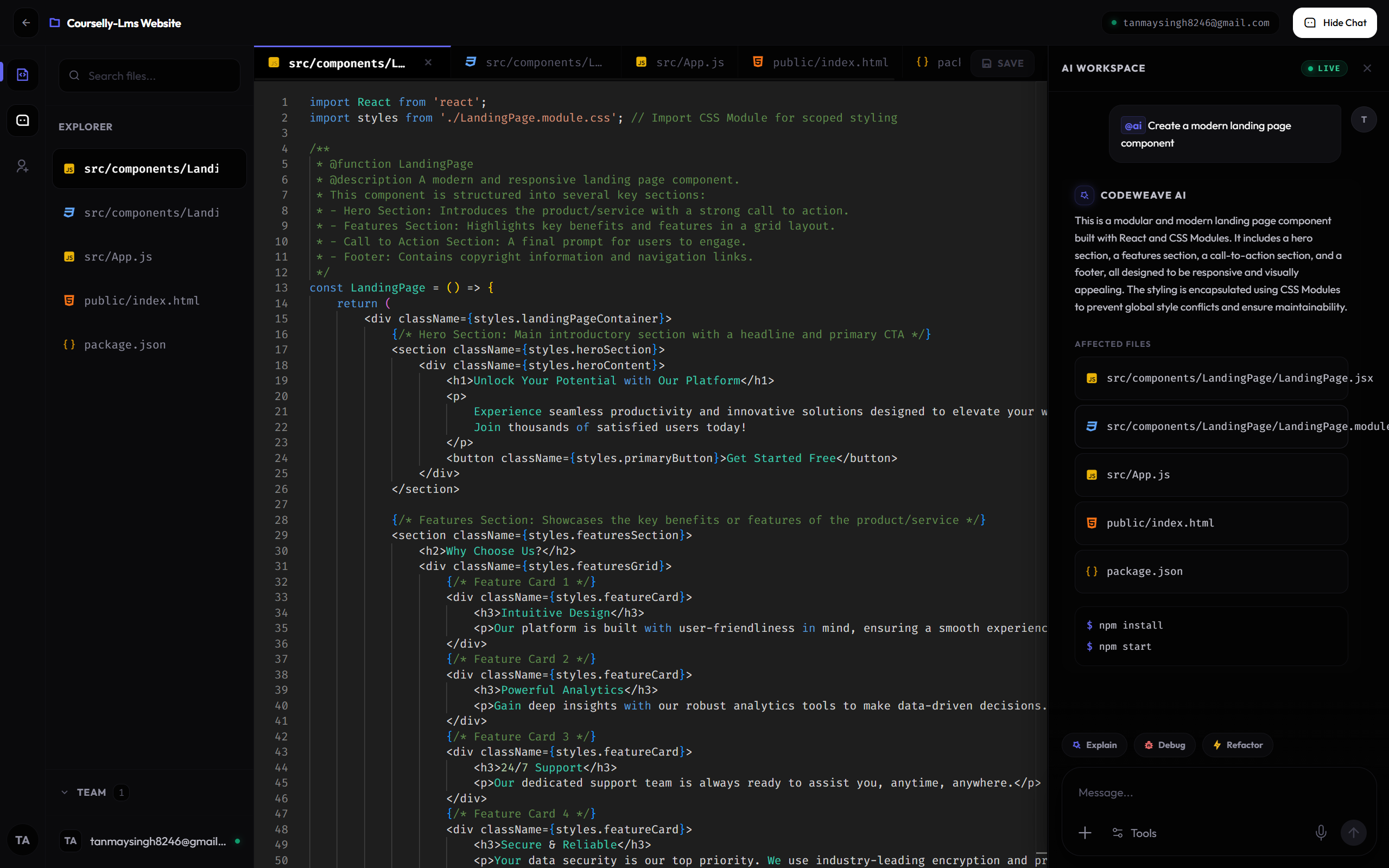
TYPING SYNCHRONIZATION INTERFACE
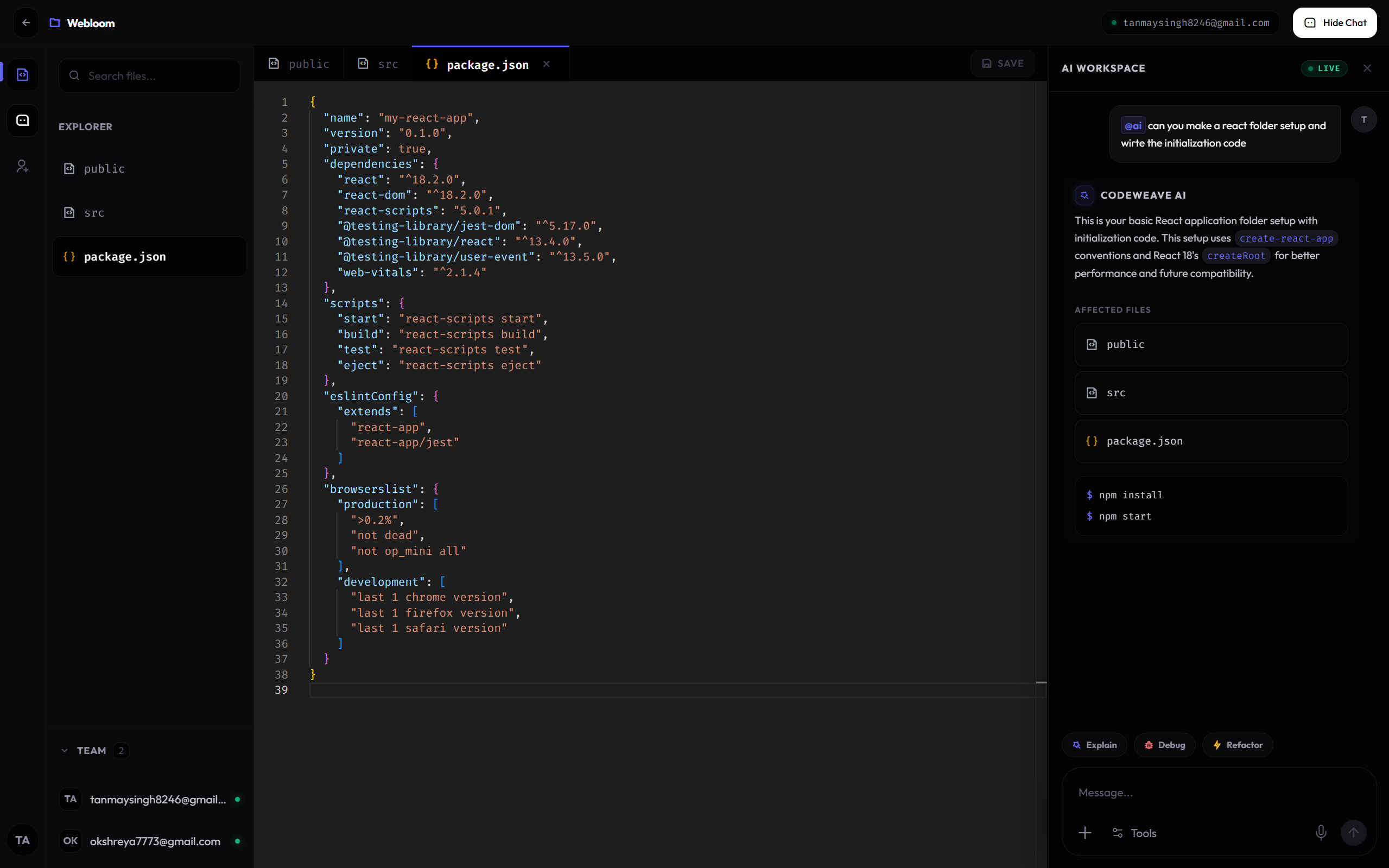
MULTI-FILE TAB SYNCHRONIZATION
AI Coding Workflow
Embedding intelligent assistance directly into the collaboration workspace.
Rather than treating AI as an external assistant, CodeWeave embeds it directly into the collaboration workflow. When a developer invokes @ai, the Socket Gateway detects the request, forwards the prompt to Gemini, stores the generated response, and broadcasts the result to every participant within the project room. The AI therefore becomes another active collaborator rather than a separate application.
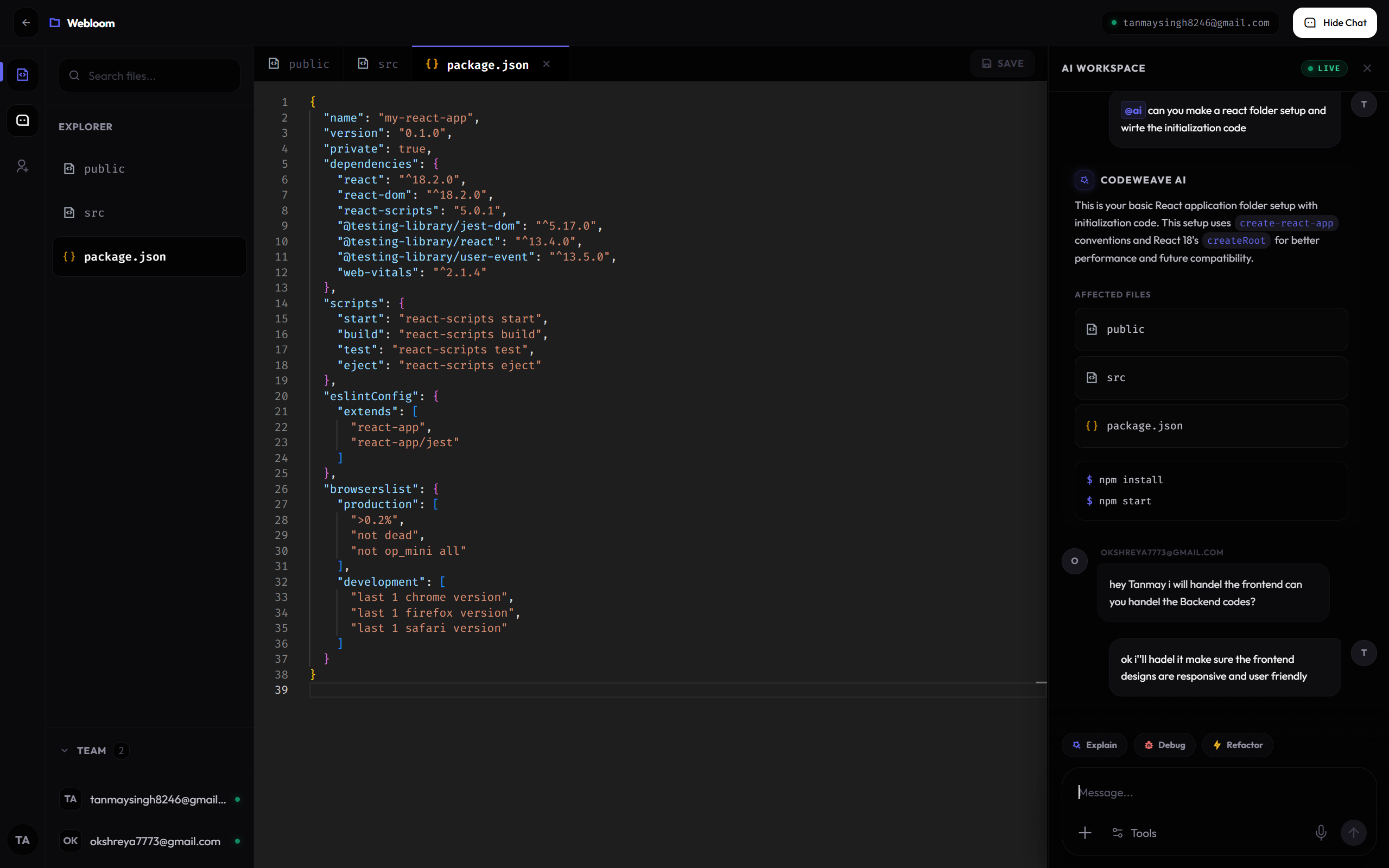
CONTEXT-AWARE AI CHAT ASSISTANT
Security & Communication
Securing persistent tunnels and API endpoints.
Authentication is enforced through JWT verification across both REST endpoints and persistent WebSocket connections. Protected routes validate incoming requests before business logic executes, while Redis-backed token verification strengthens session management. This separation between authentication and application services keeps communication secure without increasing complexity inside the core collaboration engine.
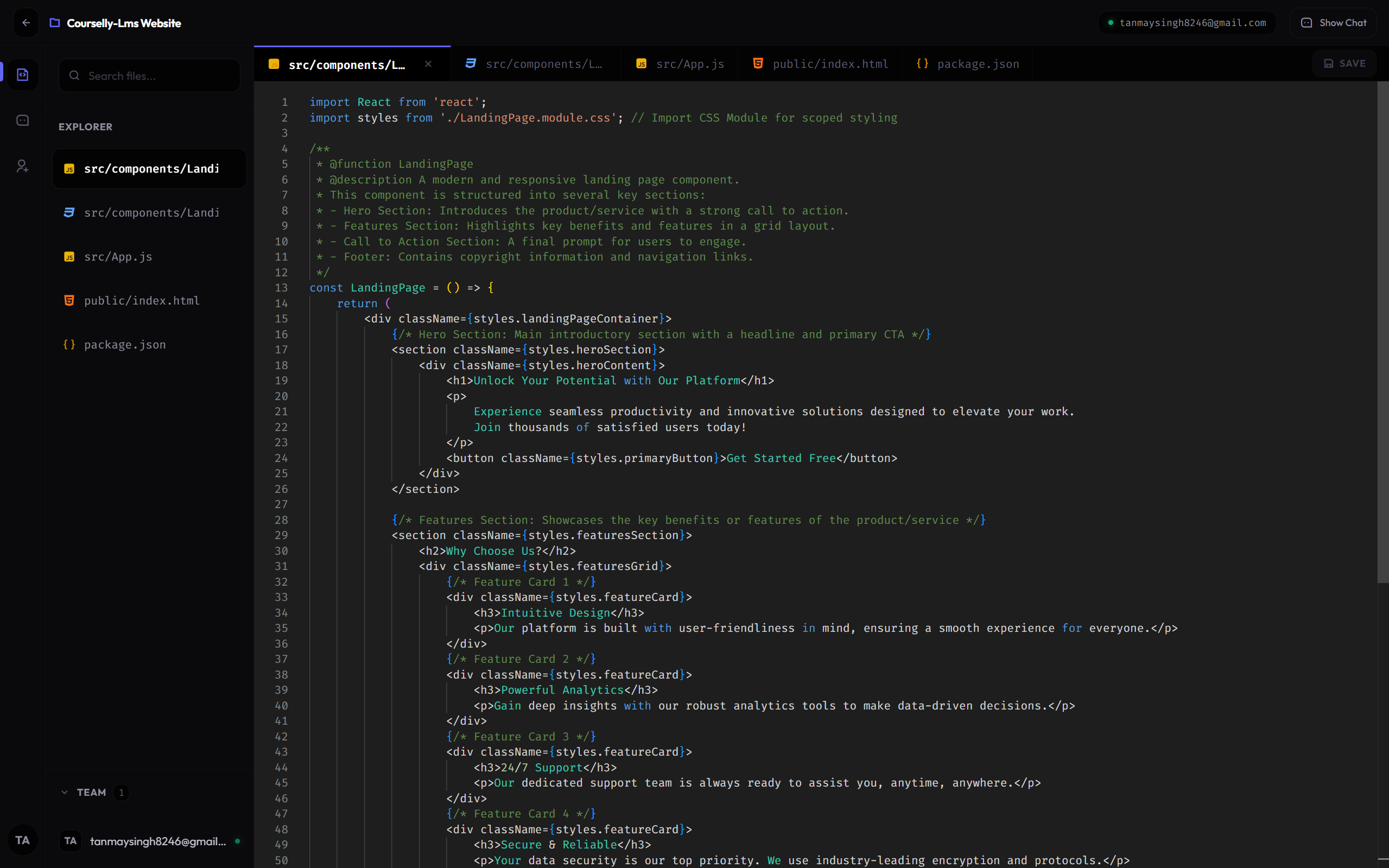
MONGODB WORKSPACE STATE PERSISTENCE
Walkthrough Gallery
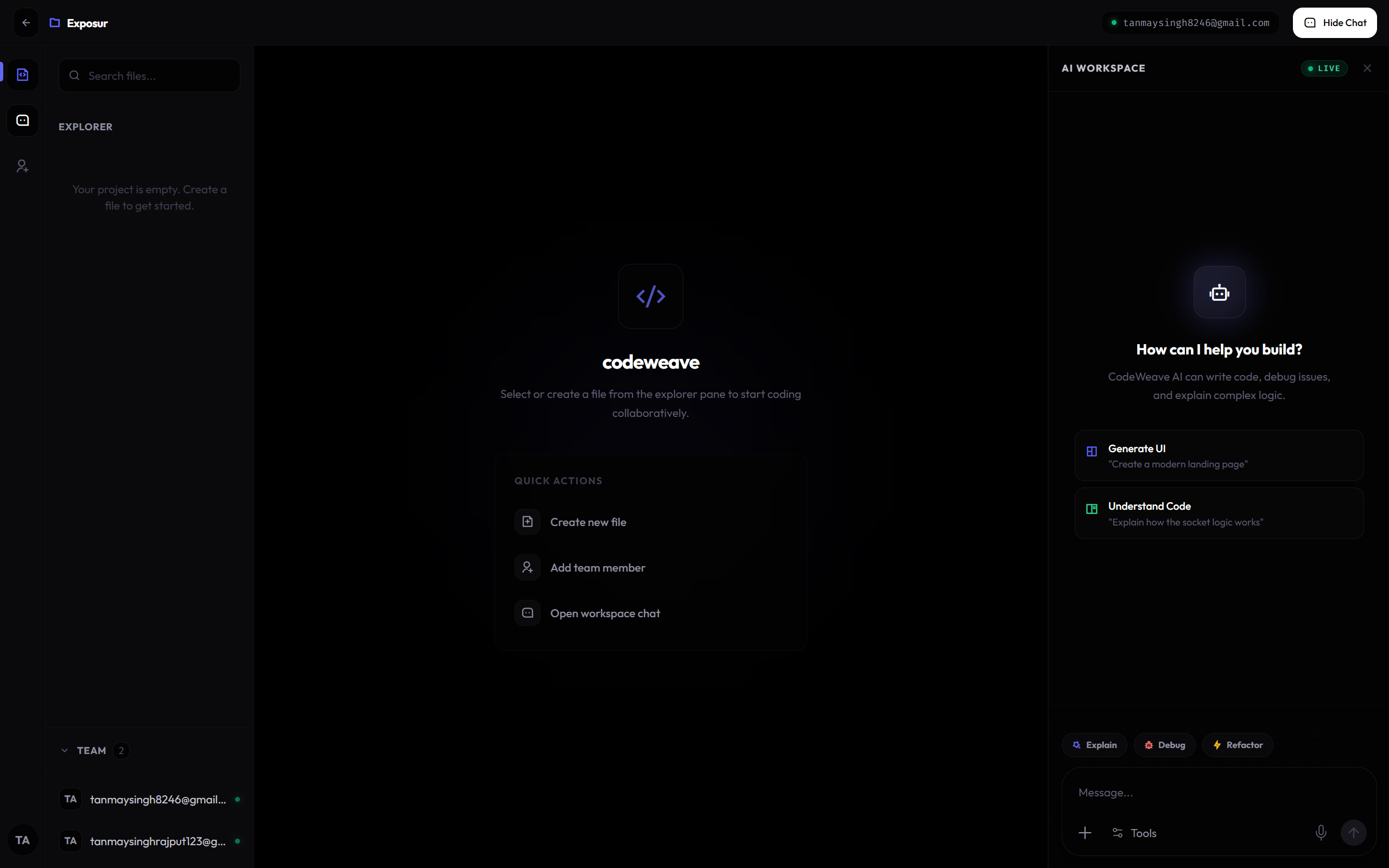
Collaborative IDE Workspace
The primary workspace screen showing the file explorer, Monaco editor panel with active syntax highlighting, and the concurrent user list.
Lessons Learned
Building collaborative software requires designing for consistency rather than individual user interactions. Event-driven communication proved essential for synchronizing multiple developers without sacrificing responsiveness.
Separating REST operations, WebSocket communication, AI services, and persistence into independent layers made the architecture significantly easier to extend and maintain.
Integrating AI directly into collaborative workflows demonstrated that intelligent assistants become far more useful when they operate within the shared project context instead of existing as isolated external tools.